


Craft World Block Building 3D
4.2889.00 Reviews
App Specs
- Version
- 2025
- Updated On
- License
- Free
- Downloads
- 10,000,000+
- Developer
- Patane Global
- Categories
- Simulation
- Platform
- Android
Screenshots
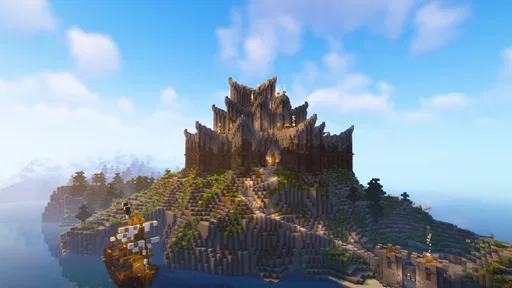
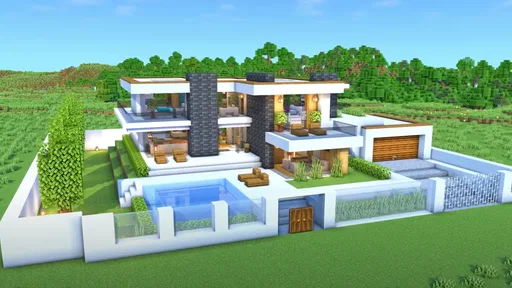
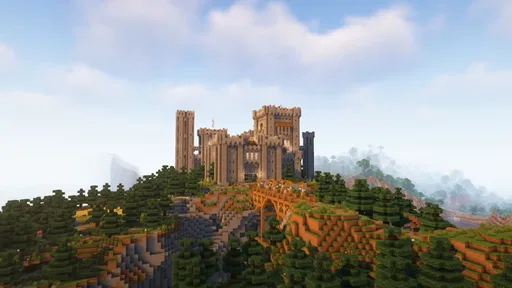
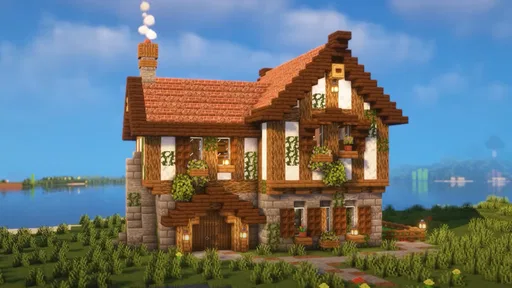
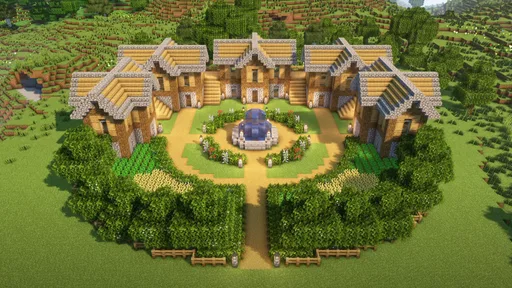
 Analysis by AppCompare
I usually judge a building game by what happens after the first burst of enthusiasm: can I settle into a project, find my way around, and enjoy a short session even if I do not have a grand plan? Craft World Block Building 3D is aimed at that creative, open-ended mood. It is a free simulation game from Patane Global, and its central appeal is the familiar pleasure of turning a blank space into somewhere that feels like yours.
Finding your footing and making a first build
The first hurdle in a block-building game is often not building itself but working out how to look around, select materials, and place pieces without making a mess. I would treat the opening minutes here as a chance to test the controls in a low-stakes spot rather than immediately committing to a complicated house. Try a small outline, adjust your viewpoint, and see how placement behaves before you start a detailed roof or staircase. That simple check can save frustration when you are still learning the feel of a mobile building interface.
It also helps to decide what kind of session you want before you begin. If you have only a few minutes, make a tiny landmark or add one room to an existing idea. If you have longer, use the time to explore and collect inspiration before choosing a building site. In my experience with this style of game, separating “look around” time from “build carefully” time makes it easier to enjoy both, rather than wandering without direction and then rushing a design.
Setup checks that make mobile play easier
Because this is a mobile game, the device and the way you hold it can affect how comfortable building feels. Before blaming the game for awkward placement, check that the screen is clean, the game has finished loading, and your device is not struggling with several demanding apps at once. A stable connection can also be useful for any online activity, though I would not assume every part of the game depends on being connected. If a control feels imprecise, try changing how you grip the phone and make a few test placements in an open area.
The game is listed for Android 7.0 and newer, so checking your device’s software version is a sensible first step if installation or launch gives you trouble. It is currently version 2008, and the store gives it an Everyone age rating. That makes it broadly suitable for younger players, but I would still sit with a child at first if they are unfamiliar with mobile games and help them learn the controls and any social options they encounter.
Recovering a session without losing the fun
Large builds are easier to manage when you give them a simple plan. I like to sketch the footprint mentally, decide where the entrance should face, and build the exterior before filling every room with detail. If a structure starts to look uneven, pause and compare the two sides from the same viewpoint rather than adding more blocks to disguise the problem. A short reset of perspective can reveal that the issue is simply an awkward camera angle.
If the game freezes or a session behaves strangely, avoid repeatedly tapping the screen; that can make it harder to tell whether an action registered. Give it a moment, then close and reopen the game if needed, and test the same action in a small area before returning to a bigger project. I would also keep ambitious changes in manageable stages. That is useful not just for recovery but for creative work: a clear stopping point makes it easier to pick up the idea again later.
Worth Reading Before You Choose

Switching to Android Auto Means Rethinking Your Driving Routine

Google Calendar Makes a Crowded Week Easier to Manage

Baby Panda World Brings Quick Play to Modern Phones, but Its Game Library Feels Busy

ESPN’s Live Game View Makes Following Close Games Easier

QuizzLand Review: A Good Fit for Short Trivia Breaks, Not Every Player

Basketball Stars: Multiplayer Is Fast, but Can It Recover When Matches Go Wrong?
When a problem may be outside the game
Not every delay or missed input points to a flaw in the building tools. A device that is low on available space, running hot, or busy with background tasks can make many games feel less responsive. If performance changes suddenly, try a fresh launch and close other heavy apps before deciding the game itself is at fault. If the problem happens only during online activity, check the connection separately from ordinary movement and building.
There is another useful distinction: a confusing result can come from the plan rather than the controls. A wall that seems misplaced may be viewed from an angle that hides its alignment, while a design that feels cramped may need a larger footprint rather than more decoration. When something looks wrong, inspect it from more than one side and change one thing at a time. That keeps troubleshooting calm and gives you a better chance of learning what actually caused the issue.
Who will enjoy this kind of creative sandbox
This is a natural fit for players who like shaping spaces at their own pace and do not need a fixed objective to make a session worthwhile. It can suit a child experimenting with simple structures, a casual player who wants a relaxed creative outlet, or someone who enjoys returning to a long-term building idea in short bursts. One realistic use is to open the game after school or work, add a porch or garden to a small home, and stop once that single task is done. A modest target can feel more satisfying than starting a huge city that becomes difficult to finish.
It is less suitable if you want a tightly guided campaign, detailed construction tools, or a game that constantly tells you what to accomplish next. Players who prefer structured missions may find an open-ended building experience too loose. Likewise, if your main interest is carefully managed survival or complex systems, a more specialised simulation may offer a better match. I would choose this when the goal is imaginative building and casual exploration, not when I want a demanding strategy challenge.
How it sits beside other building games
Compared with familiar block-building alternatives, the basic attraction is immediate: place pieces, shape a setting, and let a small idea grow into a larger one. The trade-off with mobile play is that fine placement and long sessions can feel less comfortable on a touchscreen than with a mouse or controller. I would start with broad shapes and clear outlines, then add small decorative details once the structure reads well from a distance. That workflow is more forgiving than trying to make every block perfect from the start.
For a quick creative break, a phone game has an obvious advantage over a desktop building title: it is close at hand and easy to revisit. But players who want precise camera control, extensive planning, or a highly structured progression may be happier with a different option in the genre. The best comparison is not simply which game has more blocks; it is whether you want a relaxed place to experiment or a more demanding toolset and direction.
Its reach is substantial, with more than 10 million installs, and it holds an average rating of 4.1 from around 61,000 ratings. I see those figures as a sign that many players have tried it, not as a guarantee that every device or play style will suit it. The game is free to download, which makes it easy to try without an upfront purchase, while its Everyone rating offers a broad age fit. I would still make the first session a test: check that the controls feel comfortable and that the open-ended pace is what you want.
What to expect from the experience
When I first launched Craft World Block Building 3D, I was greeted with vibrant colors and an inviting interface. The game doesn’t waste time getting you into the action. Right from the start, you have the option to dive into a vast open world where your imagination is the only limit. The tutorials are intuitive, ensuring even those unfamiliar with block-building games won’t feel lost at sea.
The controls are smooth and responsive. On iOS, the touch interface is particularly impressive, allowing for precise block placement. Android users will also find the controls well-optimized, making the building process a breeze. No need to worry about lag or unresponsive actions here!
The Building Experience: Creativity Unleashed
Once you’re in the game, the real fun begins. The variety of blocks and materials at your disposal is staggering. From simple wood and stone to more exotic materials like glowing ores and mystical crystals, the possibilities are endless. I found myself losing track of time as I experimented with different textures and colors to create my masterpiece.
The game also features a day-night cycle and weather effects, which adds another layer of realism to your creations. Building a cozy cabin during a thunderstorm or watching the sunset from your skyscraper’s rooftop—it’s these little touches that make the experience truly immersive.
Exploration and Adventure: More Than Just Building
If you ever tire of constructing, fear not—the game offers plenty of adventures. You can explore vast landscapes filled with hidden treasures and mysterious caves. Each biome has its unique charm, from lush forests to arid deserts, encouraging exploration and discovery.
And let’s not forget about the creatures you’ll encounter along the way. From friendly animals to more challenging foes, there’s always something happening in the world. These elements make the game feel alive and dynamic, keeping you engaged for hours on end.
Social Features: Building Together
What’s better than building alone? Building with friends, of course! Craft World Block Building 3D has robust multiplayer features that allow you to collaborate with others. Whether you’re working on a grand castle or a small village, teamwork makes the dream work. It’s seamless to invite friends into your world or join theirs, leading to some truly epic collaborative efforts.
The chat function is straightforward, and the ability to share blueprints and ideas enhances the social aspect of the game. It’s not just about building; it’s about community and shared creativity.
Customization: Make It Your Own
One of my favorite features is the customization options available. You can tweak your character’s appearance, from outfits to hairstyles, making sure you’re building in style. The game also offers various skins and themes for your worlds, allowing for a personalized touch that reflects your personality.
With regular updates, the developers continue to add new items and features, keeping the game fresh and exciting. It’s clear they’re committed to providing a dynamic and engaging experience for players.
Final Thoughts: A Block-Building Paradise
In conclusion, Craft World Block Building 3D is a delightful escape into a world where creativity knows no bounds. The blend of building, exploration, and social interaction makes it more than just a game—it’s a community. Whether you’re constructing a towering fortress or exploring hidden caverns, there’s always something new to discover.
If you’re ready to embark on an adventure filled with endless possibilities, this game is calling your name. Grab your virtual tools and start building your dreams, one block at a time.
Pros
- Intuitive controls make building easy.
- Vast world offers endless exploration.
- Regular updates with new features.
- Offline mode available for play anywhere.
- Creative mode fuels imagination and fun.
Cons
- Graphics can feel outdated to some.
- In-app purchases may be costly.
- Occasional lag on older devices.
- Limited multiplayer options.
- Ads can interrupt gameplay.
FAQs for Craft World Block Building 3D
What is Craft World Block Building 3D?
Craft World Block Building 3D is a sandbox-style game that allows players to build and explore virtual worlds. Users can craft structures, gather resources, and customize their environment. The game offers both creative and survival modes, appealing to a wide range of players who enjoy building and adventure games.
Is Craft World Block Building 3D free to play?
Yes, Craft World Block Building 3D is free to download and play. However, it may include in-app purchases for additional items, skins, or features. These purchases are optional and designed to enhance the gameplay experience. Players can enjoy the core game without spending money, but the extras might appeal to some users.
What platforms is Craft World Block Building 3D available on?
Craft World Block Building 3D is available for both Android and iOS devices. Users can download the game from the Google Play Store or the Apple App Store. Compatibility may vary based on device specifications, so it's important to check the requirements before downloading to ensure optimal performance.
Does Craft World Block Building 3D require an internet connection?
Craft World Block Building 3D can be played offline, which is great for users without constant internet access. However, some features, such as updates or certain multiplayer components, may require an online connection. Playing offline primarily affects social and online functionalities but does not hinder the core gameplay.
Are there any age restrictions for Craft World Block Building 3D?
Craft World Block Building 3D is generally suitable for all ages, offering a family-friendly environment. However, parental guidance is recommended for younger players due to the potential for in-app purchases and online interactions. The game's creativity and exploration aspects make it engaging for children and adults alike.


